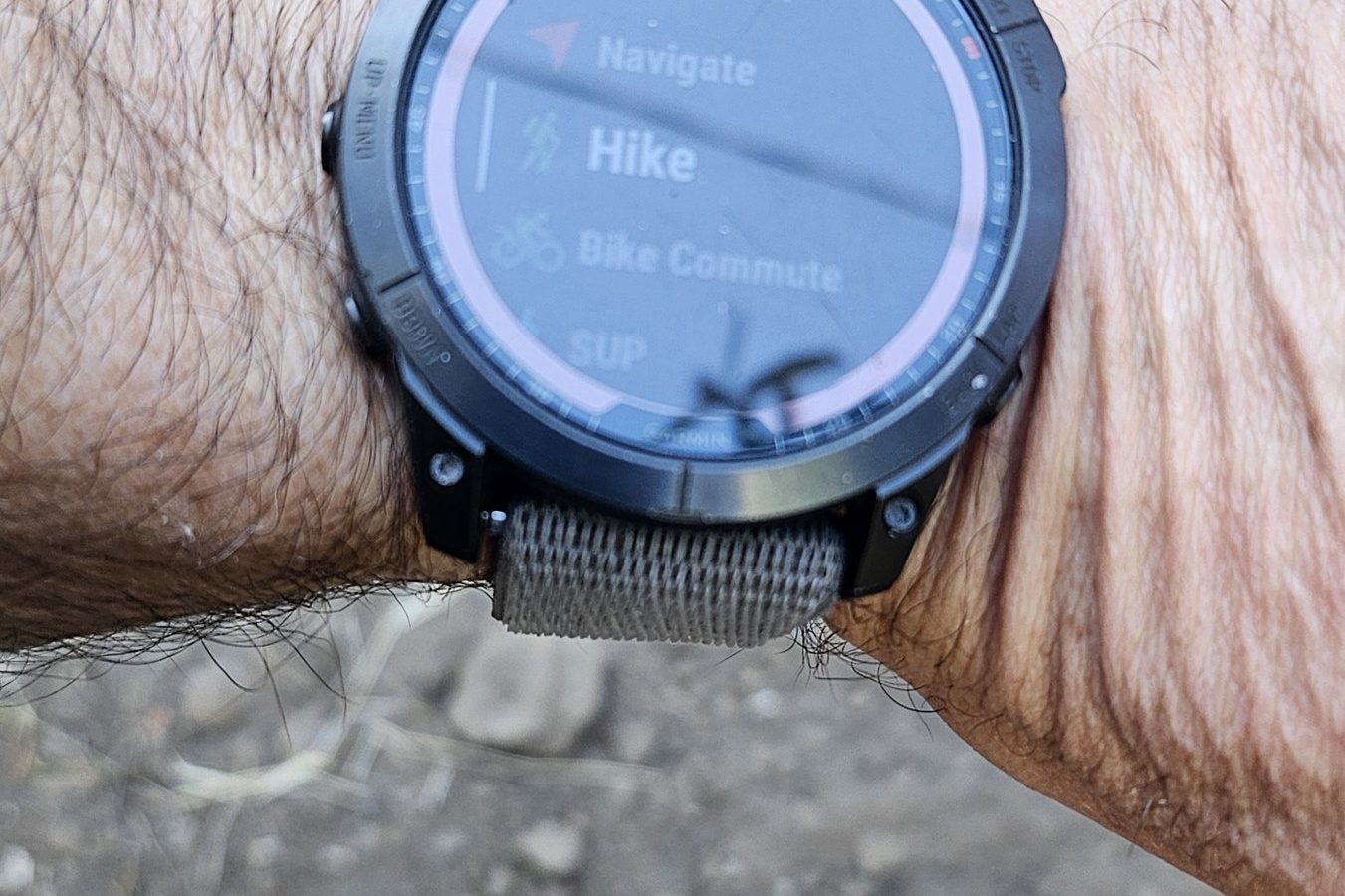
The best smart watch for hiking and backpacking is a Garmin Fenix.
I’ve personally used one for many thousands of miles now, and absolutely love it. I found an open box model at a discount(no companies actually pay me money to review gear…), and would promptly replace it for backpacking if it broke. I wear a Fenix 7X Solar Sapphire. It’s the only electronic thing I’ve purchased that lets me spend more time “in nature” and less time on a screen, allowing my phone can stay in my pocket.
The watch does mapping and navigation for days, and buzzes at you when you’re walking the wrong way (this has saved me SO many miles of backtracking). This post covers battery numbers, weights, and a discussion about why Apple, Samsung and Google can’t do the same job when it comes to backpacking.
I also discuss Fenix differences, and how I’ve set mine up to be useful while backpacking and hiking.
What actually matters in a smart watch for hiking and backpacking
Most smart watch marketing I see from tech brands seems to be about sleep scores and phone integration. My needs as backpacker are different. I want:
- Great Battery Life. I want more than the 1-2 days from a Pixel battery watch operating in default watch mode. I need something that can do serious hours while providing navigation and route tracking.
- Offline maps and course following. Can the watch show your route in the back country, and will it help you make on-the-fly revisions if plans turn to shit?
- Off-course alerts. Does it tell you when you’ve wandered off the expected route before you’ve gone a mile in the wrong direction?
- Charging and durability. It needs to survive a few years of being dragged through brush and be easily recharged from a power bank.
Battery life while tracking: the numbers
Every smart watch ad leads with the number of days you might get in the default “smartwatch-mode.” Garmin wrecks the competition. Rather than 1-3 days of use, you get 3-4 weeks of use between charges (~4 weeks between charges for my Fenix 7x if I’m not running or hiking a lot with it). Once you turn on navigation or tracking, you end up with pretty different in-use times.
Because I’m not sent watches or paid to test them out (sorry?), I’ve curated a list of metrics based on what’s advertised by the smart watch manufacturers.
| Watch | Screen | LED flashlight? | Weight | GPS tracking battery (standard mode) | Longest tracking mode | Real-world reports | Offline topo maps? |
|---|---|---|---|---|---|---|---|
| Garmin Fenix 9 Pro Solar 51mm | MIP (solar) | Yes (white, red, green) | 102 g | 75 hr (124 hr with solar)† | Max Battery GPS: 186 hr (1,000 hr with solar) | Too new for long-term reports | Yes, preloaded |
| Garmin Fenix 9 Pro 51mm | AMOLED | Yes (white, red, green) | 99 g | 56 hr† | Max Battery GPS: 151 hr | Too new for long-term reports | Yes, preloaded |
| Garmin Fenix 8 Solar 51mm | MIP (solar) | Yes | 95 g | 95 hr (149 hr with solar) | Max Battery GPS: 186 hr | – | Yes, preloaded |
| Garmin Fenix 8 AMOLED 51mm | AMOLED | Yes | 92–102 g | 84 hr (65 hr with always-on display) | Max Battery GPS: 145 hr | Hiking Guy: 56 to 78 hr of tracking with multi-band and all satellite systems, and no battery worries on multi-day backpacking trips | Yes, preloaded |
| Garmin Fenix 8 AMOLED 47mm | AMOLED | Yes | 73–80 g | 47 hr (37 hr with always-on display) | Max Battery GPS: 81 hr | – | Yes, preloaded |
| Garmin Enduro 3 (Solar) 51mm | MIP (solar) | Yes | 63 g | 120 hr (320 hr with solar) | Max Battery GPS: 210 hr (unlimited with solar) | Hiking Guy: about 6 to 7 hiking days per charge with no sun, 8 to 10 mixed, 10 to 12+ in bright sun. Treeline: 70% battery left after a month of bikepacking | Yes, preloaded |
| Garmin Epix Pro (Gen 2) 51mm | AMOLED | Yes | 88 g (sapphire) | 82 hr (58 hr with always-on display) | – | Treeline: the smaller 42mm gets 14+ hr per day of GPS-only navigation | Yes, preloaded |
| Garmin Fenix 7X Sapphire Solar (what I wear) | MIP (solar) | Yes | 89 g | 89 hr (122 hr with solar) (My note: don’t expect 89 hours. It’s about 4-6 days of solid use before you want to recharge, and you’ll want more satellites than GPS alone) | Max Battery GPS: 213 hr | Treeline: 12+ hr a day of GPS tracking for multiple days between charges (Fenix 7 and 7X) | Yes, preloaded |
| Garmin Fenix 6X Pro Solar | MIP | No | 82 g | 60 hr (66 hr with solar) | Max Battery GPS: 120 hr | Treeline: his older Fenix 6X Solar did 12+ hr a day for over three days between charges | Yes, preloaded |
| Garmin Fenix E 47mm | AMOLED | No | 53 g | 42 hr | Max Battery GPS: up to 75 hr | – | Yes, preloaded |
| Garmin Forerunner 970 | AMOLED | Yes | 53–56 g | 26 hr | All systems + multi-band: 21 hr | – | Yes, preloaded |
| Garmin Forerunner 965 | AMOLED | No | 53 g | 31 hr | – | – | Yes, preloaded |
| Garmin Forerunner 955 Solar | MIP (solar) | No | 53 g | 42 hr (49 hr with solar) | – | – | Yes, preloaded |
| COROS Vertix 2S | MIP | No | 87 g (70 g with nylon band) | 118 hr | Dual-frequency GPS: 43 hr | The Trek: the 73 hr standard mode gives 5 to 8 days of usable battery on a thru-hike | Yes, offline maps |
| COROS Vertix 2 | MIP | No | 89 g (72 g with nylon band) | 127 hr | Dual-frequency GPS: 49 hr | – | Yes, offline maps |
| Apple Watch Ultra 3 | OLED | No | – | 14 hr (GPS + heart rate workout) | Low Power Mode: 20 hr | WearableBeat: 20 hr of GPS and heart rate is one long day, then a recharge | Offline maps, but US-focused and not part of the Hiking workout |
| Google Pixel Watch 4 | AMOLED | No | – | About 8 to 15 hr* | – | – | Offline maps for viewing only. No offline route navigation. |
| Samsung Galaxy Watch Ultra | AMOLED | No | – | About 8 to 10 hr* (always-on display) | – | – | No offline maps |
For my hiking, I’m usually on trail at sunrise and in-bed a bit after sunset. So often 14 hours of continuous navigation and tracking. An Apple Watch Ultra 3 would last most of one day with some battery saver tracking configurations, and would need to be charged nightly. A Fenix 7X is rated for about 7 days when you only using GPS satellites for tracking. With the map and screen in use, and multi-band tracking, my real-world number is about 4 whole days of solid navigation in “Normal” power mode.
The batteries for smart watches are also tiny! My 10,000 mAh power bank can will top off my Fenix dozens of times. I basically don’t worry about power when it comes to watch navigation when I’m on trail, because I can just top it off with a near-dead power bank if I need to!
Why to only consider Garmin Watches (and maybe COROS)
Apple, Samsung and Google might make great watches for day hikes… and interacting with your cellphone? I guess I wouldn’t know — I’ve never felt compelled to have a watch that is lackluster when it comes to backpacking. Those smart watches just aren’t viable backpacking navigation tools.
- Apple Watch Ultra 3: 14 hours of GPS tracking is one long day. It does have offline maps, but reviewers note they’re US-focused and not built into the Hiking workout (comparison).
- Pixel Watch 4: You can download offline maps, but you can’t do offline route navigation on them. It’s a map you look at, not a course you follow.
- Galaxy Watch Ultra: Reviewers report roughly 8 to 10 hours of GPS with the display on, and there are no offline maps.
COROS is the one other non-Garmin brands worth considering. You can often pick them up for a bit cheaper than a Fenix or Enduro, so if you’re hunting on a budget, you might give them a try. I haven’t run one, so can’t speak about its use and differences personally. The Vertix 2S claims 118 hours of GPS and has offline maps. Maybe if my Fenix dies I’ll consider picking up an older coros to test out for a bit if I find one for REALLY cheap.
What I love about my Garmin in the backcountry:
- OMG! The ACTUAL flashlight! The Fenix 7X (and some other Fenix models) has a built-in LED flashlight. It’s one of my most-used features when backpacking, and also in daily life! It’s amazing to have what amounts to being a redundant headlamp that’s always on your person at the tap of a button. Because the watch is on my wrist, when I need to get up to pee in the middle of the night, or search for snacks, I just tap the watch and hunt. No headlamp hunting for me!
- Off-course alerts. The Fenix will ping you when you’re roughly 150 feet off the course navigation line. I’ve avoided SO MANY miles of backtracking! (the worst feeling is having gone 2 miles out of the way when you’re pushing miles on a 36-mile day, and now you just did 4 worthless miles.)
- The gpx/course ecosystem. You can move GPX files into Garmin Connect and Garmin Explore, which allows you to do route navigation for a specifc track on the watch. It’s relatively quick and easy to get a line to follow! (waypoints are a different matter)
Considering a Garmin? Which one should you buy?
For backpacking, buy the one with the biggest battery and a MIP screen, not the prettiest, backlit screen. Here’s how the Fenix family stacks up on the backpacking-relevant things.
| Model | Screen | GPS battery | LED flashlight? | New (Amazon) | Refurbished / used | Notes |
|---|---|---|---|---|---|---|
| Fenix 6X Pro Solar | MIP | 60 hr (66 hr with solar) | No | Not sold new on Amazon | Swappa has no 6X listings at the time of this writing. Fenix 6 range from $227. Amazon Renewed 6 Pro Solar: ~$499.99 | Buttons only. Launched around 2019, so an old battery is a gamble, although if you’re savvy you can likely replace it yourself (might comrpromise waterproof integrity though) |
| Fenix 7X Solar | MIP | 89 hr (122 hr with solar) | Yes | $690.00 (Sapphire Solar) | Amazon Renewed: $479.99. Swappa: $350 to $550 | The one I wear. Touchscreen plus buttons. You can lock the touch screen when you need to |
| Fenix 7X Pro Sapphire Solar | MIP | 89 hr (122 hr with solar) | Yes | $674.00 (up to $999.99) | Swappa: from usually around $400 to $550 | Flashlight on every size in the Pro line. Same battery rating as the 7X. |
| Fenix 7 Pro Sapphire Solar 47mm | MIP | 57 hr (73 hr with solar) | Yes | — | Amazon Renewed: $499.99 | Smaller and lighter than the 7X. The non-Pro Fenix 7 has no flashlight. I’d genuinely consider getting this one over a 7x if the size of the 7x feels to big and clunky (it really can) |
| Fenix 8 Solar 51mm | MIP | 95 hr (149 hr with solar) | Yes | $1,099.99 (47mm Solar: $999.99) | Swappa Fenix 8: ~$600 | Multi-band GPS. Also more expensive than the 7 or 6. The Fenix 8 line launched at $999+, and prices are dropping now that the Fenix 9 is out. |
| Fenix 8 AMOLED 47mm | AMOLED | 47 hr (the 47mm Solar is rated 67 hr) | Yes | $750.00 to $1000 | Same Swappa range as above | Gorgeous screen, noticeably less battery. |
| Fenix 9 Pro Solar 51mm | MIP | 75 hr (124 hr with solar)† | Yes | $1,199.99 (47mm: $1,099.99 to $1,121.99) | Swappa Fenix 9 Pro: from ~$1,025 | Newest Fenix. Solar models only come in 47mm and 51mm. |
| Fenix 9 / 9 Pro AMOLED 47–51mm | AMOLED | 30 to 56 hr† | Yes | $1,069.99 to $1,149.99 | Swappa Fenix 9: from ~$1000 | Brightest screen of the lineup, shortest battery. |
| Fenix E 47mm | AMOLED | 42 hr | No | $615.00 to $739.95 | No listings on Swappa | Single-band GPS. $799 at launch. |
| Enduro 3 (Solar) 51mm | MIP | 120 hr (320 hr with solar) | Yes | $799.99 to $815.99 | Amazon Renewed: ~$680. Swappa: ~$550 | Built for ultra endurance. Weighs 63 g, versus 89 g for the 7X. |
| Epix Pro (Gen 2) 51mm | AMOLED | 82 hr (58 hr with always-on display) | Yes | $605.03 (47mm: $581.49, 42mm: $499.99) | Amazon Renewed 51mm: $499.95. Swappa: from $366 (average sale $333). BackMarket sells the older Epix (Gen 2) from $450, but that one has no flashlight. | An AMOLED Fenix cousin. Great screen, shorter battery. |
Is the Fenix E worth it?
For hiking, not really. It has an AMOLED screen, which contributes to the fairly meh 42 hours of GPS-only satellite navigation, no flashlight, single-band GPS, and a launch price of $799, ~$200 under the Fenix 8 line. A refurbished 7X Solar has more than double the GPS battery and the flashlight. Even the old 6X Pro Solar beats the E on navigation hours (60 vs 42). I just wouldn’t touch the Fenix E compared to a used or refurbished Fenix flagship model.
What about the older Fenix 6 and 7X on the cheap?
I just can’t fathom spending $1000 on a smart watch. Hell, even $500 feels too fucking lavish. So definitely go for refurbished (or used), older models.The Fenix 7X Solar is the sweet spot: a refurbished Fenix 7X Sapphire Solar was going for about $400 to $500. Prices move, so check current listings. The 6X Pro Solar is cheaper still and has real maps and 60 hours of GPS, but no flashlight and an older battery. Skip the smaller 6 and 6S and 7 and 7s models (they don’t have flashlights… and have too little battery life).
Batteries age, so it’s often better to buy certified refurbished with a warranty rather than a random used listing, depending on the price points you can get, and your willingness to replace a battery.
What about the Fenix 9, Epix, Enduro and Forerunner?
Fenix 9. It launched August 25, 2026 at $999.99 for the base model and $1,099.99 for the Pro. The Pro Solar brings back the MIP solar screen, with Garmin’s manual listing 54 hours (81 with solar) on the 47mm and 75 hours (124 with solar) on the 51mm in Normal power mode. Garmin has also switched to quoting hours in Normal mode instead of “GPS only,” so the numbers look smaller than the Fenix 8’s but are closer to how I actually run mine. The Fenix 9 is already pushing Fenix 8 prices down: a 47mm Fenix 8 AMOLED is $749 on Amazon, and used Fenix 8s start around $600 on Swappa.
Epix Pro (Gen 2). The AMOLED sibling of the Fenix, with the same LED flashlight and preloaded maps. The 51mm is rated 82 hours of GPS (58 with the screen always on), which is plenty for a few days of hiking but less than a MIP Fenix or Enduro. It’s also where the bargains are: $605 new, $499.95 renewed, and used Epix Pros start around $366 on Swappa. I’d skip the older non-Pro Epix (Gen 2) even though BackMarket sells it refurbished from $450: it has no flashlight.
Enduro 3. On paper it’s the best backpacking Garmin. It has a MIP solar screen, the flashlight, and it weighs 63 g (my 7X is 89 g). Garmin rates it 120 hours of GPS, or 320 with solar. Hiking Guy measured 6 to 7 hiking days per charge with no sun and 10 to 12+ in bright sun. It’s $799.99 new on Amazon, $679.99 renewed, and under $550 on average for a used one on Swappa.
Forerunner 970 and 965. Great watches with maps but only get 26 and 31 hours of GPS. . The 970 has a flashlight and the 965 doesn’t. Because they’re not meaningfully cheaper than an older Fenix, I wouldn’t bother with these.
Charging on trail (and the USB-C dongles)
Don’t carry the purpose-made Garmin cable on trail. Instead buy a dongle (~1 to 2 grams). Over time the inner metal contacts loosen for the dongle, and the watch can easily be knocked loose from the charging cable, preventing it from charging when in camp. Every so often, use something small and rigid to push the inner metal back in and tighten it up (like a tent stake!)
Pro tip: Carry a spare dongle. They’re cheap, light, and the thing most likely to fail. Here’s the charging dongle I’d buy. I keep one in my dyneema wallet, and another in my electronics bag/repair kit bag.
Setting up your hiking activity screens
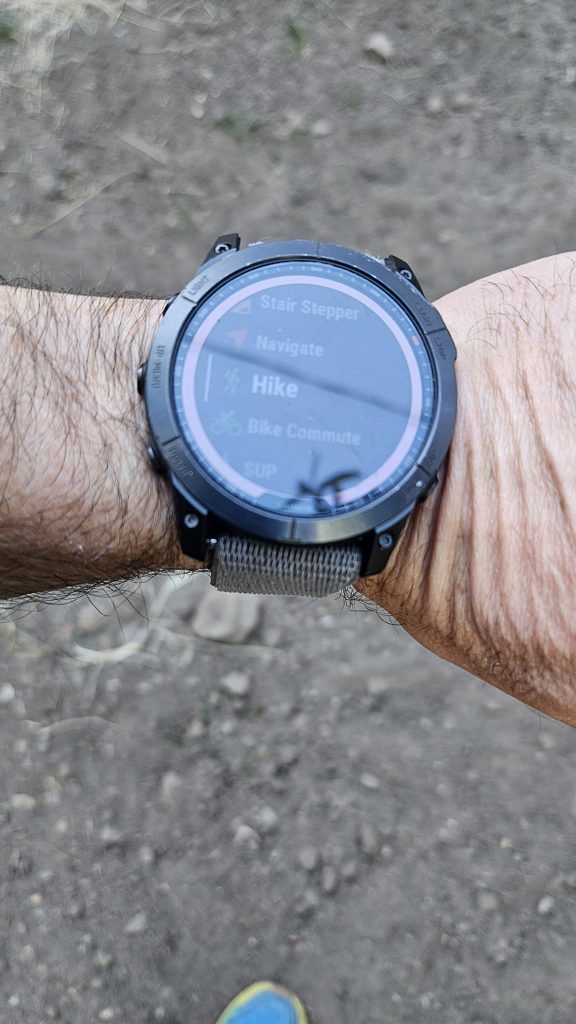
When backpacking, I use the “Hike” activity with two data screens configured (I removed the others): one with five data fields, and one that’s the map. I run it in Normal power mode. Here’s how to build the same thing.
- Hold MENU, then go to Activities & Apps > Hike and open the activity settings.
- Select Data Screens, then pick the first screen. Under Layout, choose five data fields.
- Under Data Fields, set them to: Time of Day, Distance, Avg Pace, Elevation Profile and Current Pace.
- Back in Data Screens, choose Add New > Map. That’s your second screen. Scroll between the two with the buttons.
- In the same activity settings, set Power Mode to Normal. The longer-life modes (Max Battery and Expedition GPS) record your position less often, so you trade track detail for battery. I’ve personally come to value the better tracks, as GPS will jump around and be lousy in tree cover, canyons, valleys, etc
Menu paths are from Garmin’s manual for the data screens and activity settings. Newer models move things around a little, but the logic is the same.
Step by step: follow a course on trail
Load your course on the watch before you leave (next sections). Then:
- From the watch face, press START and scroll to Hike.
- Hold MENU and select Navigation > Courses.
- Pick your course and select Do Course. Hiking it the other direction? Choose Do Course in Reverse.
- Press START to begin the activity. You’re navigating.
Two settings worth checking first
- Follow Course vs Use Map. Under Navigation > Courses, Follow Course navigates the course exactly as drawn, without recalculating. Use Map uses the routable maps and recalculates if you stray. On trail, Follow Course is the one that does what you expect.
- Off-course alert. Hold MENU, then Navigation > Alerts > Off Course, turn the status on, and enter a distance. This is the feature that saves you miles of backtracking.
Breaks, camp, and the next morning
- Pause when you stop for breaks. Press STOP to pause, and START to resume. Otherwise your lunch break throws a bunch of superfluous track marks, and drains your battery unnecessarily.
- End of the day: press STOP and choose Save. (If you pick Resume Later instead, Garmin saves the activity on its own after 30 minutes.)
- In the morning: start a Hike and select the same course again. If you didn’t finish it, the watch is pretty good at picking up where you stopped.
Make a new course in the backcountry
Trail closure? Fire detour? Alternate you want to try? You can build your own course and get it on the watch. My workflow is Gaia GPS to Garmin Explore to the watch.
- Build the route in Gaia GPS. Draw it on the map in the app or on the website. (If you like planning with heatmaps, my Strava heatmap in Gaia post helps.)
- Export it as a GPX file.
- Import the GPX into Garmin Explore. On your phone, open the GPX with the Garmin Explore app. Explore can import a GPX without a data connection, which Garmin Connect Mobile can’t.
- Sync Explore with your watch over Bluetooth.
- On the watch, open Navigation > Courses and select it.
At home on Wi-Fi, there’s an easier route: in Garmin Connect on the web, go to Training & Planning > Courses > Import, upload the GPX or TCX, choose Send to Device, then sync your watch.
Longer hikes: split your course with my TCX tool
Garmin Connect crashes on whole-trail files. Hell, your watch might even crash if the trail is too long, and it can also take a really long time to load in the morning (blech). The watches also cap how many named course points you can have (50 on older ones, 200 on newer). So I built a tool to help navigate the annoyance of doing a long thru-hike and getting navigation courses setup on your garmin. The most logical break point for courses is resupply points. The Trail GPX Converter does the annoying parts for you!
- Splits a long GPX into legs at your resupply points, so each leg is a separate Garmin course.
- Pulls waypoints from built-out trails in CalTopo or Gaia onto the track as named course points.
- Exports TCX for Garmin Connect, or GPX for everything else.
There’s more on getting waypoints to actually show up in this post. And I’ve pre-split some trails I’ve hiked, with downloads on each guide:
- Pacific Crest Trail
- Continental Divide Trail
- Arizona Trail
- Colorado Trail
- John Muir Trail
- Tahoe Rim Trail
- Pacific Northwest Trail
A caveat: I didn’t have a Garmin on most of those trails, so I never ran those actual splits routes on trail. The exceptions are the Tahoe Rim Trail, Pacific Northwest Trail, and Hayduke. Because I pulled those GPX files from different sources (not my recorded tracks), I can’t speak to the veracity of the navigation — so take them as good trail corridor guesses, but perhaps slightly deviating from current “official routes”.
Questions I get
Does it work with no cell signal?
Yes. GPS and the preloaded maps don’t need a signal. The only catch is that your course has to be on the watch before you lose service, or synced through Garmin Explore.
Can I skip carrying a phone?
I’d carry a backup. Everything electronic dies eventually, and a phone with offline maps is the easy one. The watch keeps the phone in your pocket. It doesn’t mean you shouldn’t bring it. However, with the watch and phone, I never consider backup maps anymore — I have enough good redundancy with the watch!
MIPs or AMOLED?
I prefer the MIPs option. The screen time is going to be better, but look less sharp. On the Fenix 8, the 47mm Solar is rated 67 hours of GPS and the 47mm AMOLED is rated 47 hours.
Solar or Non-solar?
Honestly — the solar cells on the edge of the screen DO increase battery life, but NOT by that much. If the price point is fine for you, go Solar, otherwise don’t feel too bad about dropping to the non-Solar models. You’re not going to be generating enough energy from the solar cells on the watch to charge your watch up without an external power source.
The gear
Related: my backpacking smartphone setup and battery strategy.